
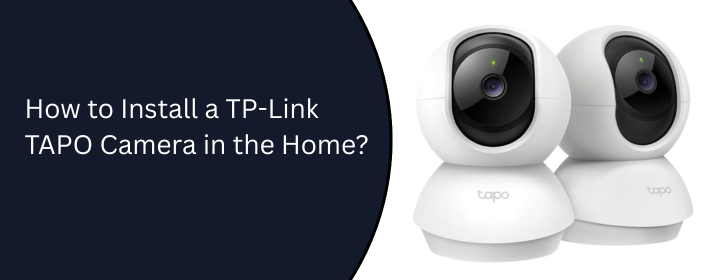
Want to see everything at night or in daytime, or notice every movement of your pet when you’re outside your home? We advise you to install the TP-LINK TAPO camera in your home.
The TAPO cameras have so many incredible features, which help you to see everything when you are not at home. This blog post is based on its features and how you can install the TP link TAPO camera in your house. Let’s dive in.
The camera will provide a really fast and clean navigation system. The device can tilt a full 360 degrees horizontally and 110 degrees vertically. So, you can see activity at every corner with the help of the camera on your phone.
With the Detection feature, the camera can detect every motion, even if it’s your pet or a small rat in your house. It will notify you on your phone if there is a person entering your home or a pet moving to any side of the home. So, no worries about your home security.
You can speak and hear what’s going on in your house. By speaking into your phone’s microphone, you can command your pet or any other family member easily.
Can’t see in the night? No worries, your new TAPO Camera can see anything in the night with the help of new night vision technology.
Start by powering the camera in your house at the place you want to set it up. Now, there are two ways that you can connect it to your WiFi.
To connect with the cable, choose the Ethernet cable. Connect one end of the cable with the router’s LAN port and the other to the camera’s Ethernet port.
The other way to connect to the WiFi as well as manage its settings is through the TP-Link TAPO app.
To download the app, connect your device to the internet or WiFi. Open the Play Store or App Store and search for the TAPO camera app. Download that by clicking Install or Get.
Now, it will take a few minutes to set itself up. After that, it’s time to connect the WiFi network with the camera. Just choose your home WiFi network and tap NEXT.
When it pairs, you can change your camera network name and choose any icon your your camera. Then, tap the Complete button to complete the TP-LINK TAPO camera setup.
Every homeowner should add cameras to their home security. These small but smart devices help you to see everything outside and inside so that you can care for your pets and feel safe in your own home. Hope you have seen all the steps of how to install the TP-Link TAPO camera in your home and follow them.
Disclaimer: We hereby disclaim ownership of any product and any association, affiliation or representation in any form, of any brand, product or service. All the information provided here has been drafted by a team of highly qualified technical experts and regularly undergo reviews and updates.