
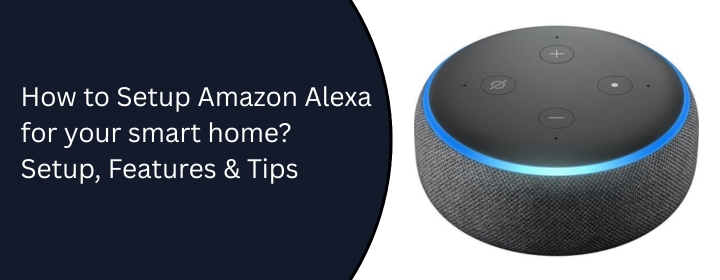
Smart homes are no longer a luxury. They are becoming part of everyday life. Amazon Alexa is one of the easiest ways to make your home smarter. You can control lights, play music, ask questions, and manage daily tasks—just by speaking. Many people think setting up Alexa is difficult. It’s not.
You don’t need a technician.
You don’t need expensive services.
With the right instructions, anyone can setup Amazon Alexa for smart homes at home. This guide is written for normal household users in the US, UK, India, and other countries. No tech words. No confusion. Just simple steps.
Most Alexa devices are designed for regular users.
Not engineers.
Not IT professionals.
Many people spend money on a tech guy just for setup. That cost is often unnecessary. Here’s why instructions are enough:
Learn how your device actually works. Once you know how to setup Amazon Alexa, you’ll also be able to fix small issues yourself. That means long-term savings.
This setup works for most Alexa devices like the Echo Dot, the Echo, and the Echo Show.
Take Alexa out of the box. Plug it into a power socket. Wait for the light ring to turn on. You’ll hear Alexa say she’s ready.
Open the Play Store or App Store. Search for Amazon Alexa. Download and install the app. This app is required for Alexa setup & support.
Open the Alexa app. Sign in using your Amazon email and password. If you don’t have an account, create one. It’s free.
Open the Alexa app. Tap Devices. Select Echo & Alexa. Choose your device. Select your home Wi-Fi. Enter Wi-Fi password
Wait for confirmation. Alexa will tell you when she’s connected.
Select your preferred language. Set your country and time zone. This helps Alexa understand you better.
Say, “Alexa, what’s the time?”
If she answers, the Alexa setup is complete. That’s it.
No tools.
No expert help needed.
Once setup is done, Alexa can do much more than you expect.
Ask questions, get weather updates, and set reminders and alarms.
Control smart lights, turn fans on or off, and manage smart plugs.
This is where Alexa smart home setup services usually help—but you can do it yourself.
Play music, listen to podcasts, and control volume with voice.
Morning routines, bedtime reminders, and daily news briefings.
Call family members, drop in on another Alexa device
All these features are built in.
The simple answer to this question is that Alexa brings comfort and simplicity. Here’s what changes after setup:
For busy families, Alexa saves time.
Adds convenience for elderly users
For kids, it adds learning and fun.
You don’t need a smart home already. Alexa grows with your needs.
Start small. Add devices later.
Sometimes things don’t work perfectly. That’s normal. Try these steps first.
Check Wi-Fi password, restart your router, and move Alexa closer to the router
Check the microphone button, restart the device, and update the Alexa app.
Speak clearly, reduce background noise, and check the mic mute light.
Turn Bluetooth on, and reset Alexa (hold the action button).
If nothing works after these steps, then it’s okay to look for Alexa setup assistance or support. But always try basic fixes first.
Setting up Alexa is not hard. It just feels hard at first. With clear instructions, you can do it yourself. No pressure. No extra cost. This guide helps you understand Amazon Alexa setup for smart homes in a simple way. Once you try it, you’ll feel more confident using smart devices. Take your time. Follow each step. And enjoy a smarter home.
No. Basic phone usage is enough.
Yes. Steps are almost identical.
No. Wi-Fi is required.
Yes. The app is completely free.
Yes. Android and iPhone both work.
Multiple. There is no fixed limit.
Restart the device and check Wi-Fi.
Yes. Parental controls are available.
Yes. Just reconnect to Wi-Fi if needed.
Only if basic troubleshooting doesn’t help. Just visit Network-config.net on Google.
Disclaimer: We hereby disclaim ownership of any product and any association, affiliation or representation in any form, of any brand, product or service. All the information provided here has been drafted by a team of highly qualified technical experts and regularly undergo reviews and updates.